The sizes your website needs
Name the places you publish to once, in your own words, and every frame you develop lands on their exact pixels as a light webp file. A fashion product page wants 1600 × 2000. Twelve frames drop from 47 MB to about 4 MB, and the resize is free because it runs in your browser.
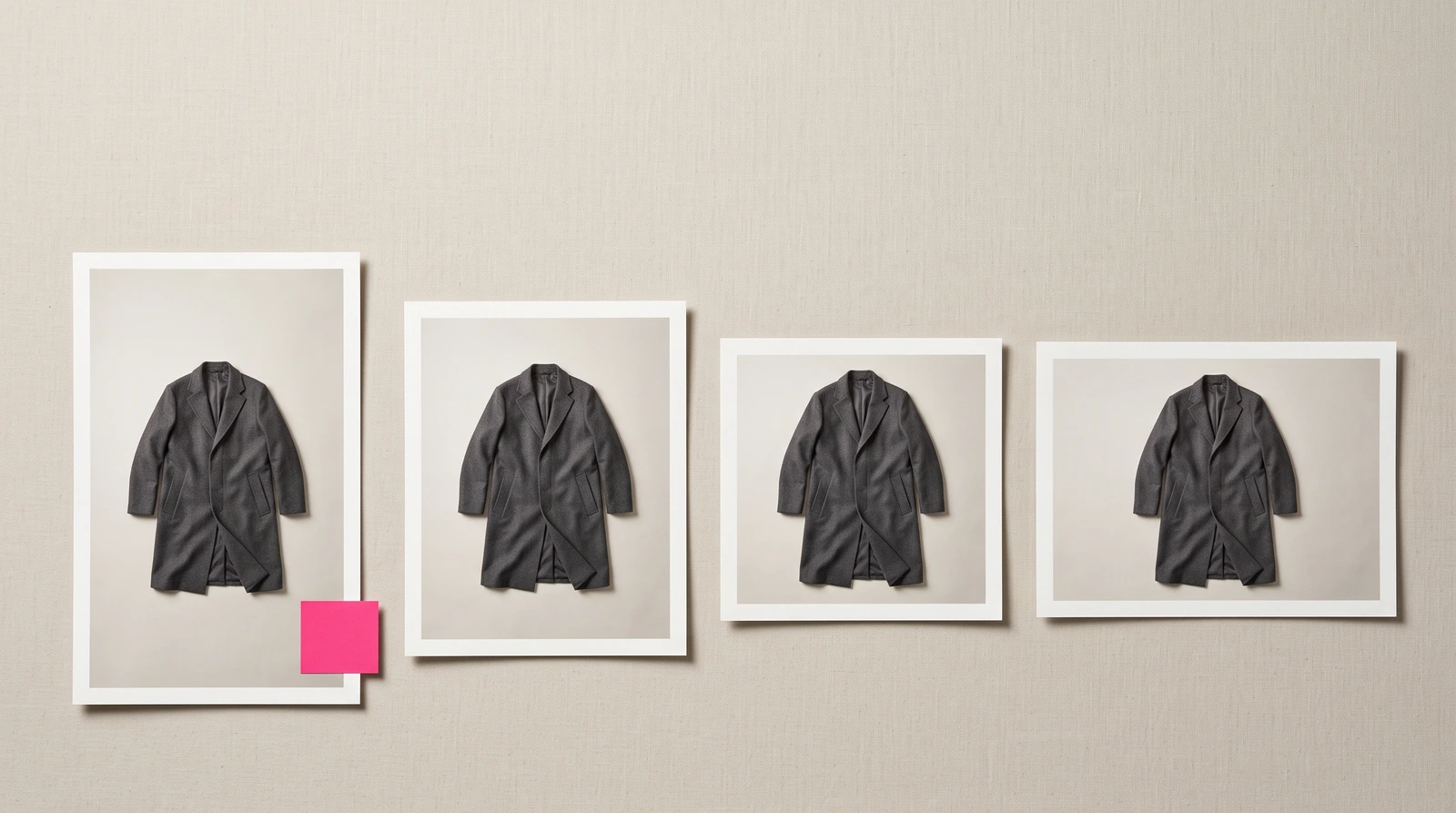
You name the places you publish to once, in your own words. Product page, grid tile, story. Every frame you develop after that lands on their exact pixels, as a light file your site can serve fast. Twelve frames go from 47 MB to about 4 MB. You never pick a size again.
Which sizes does a website need?
Five cover most houses, and they are offered the moment you open your settings. Each is one tap. Your word sits on top. The pixels sit underneath.
| The place | Pixels | Shape |
|---|---|---|
| Product page | 1600 × 2000 | 4:5 |
| Grid tile | 1080 × 1350 | 4:5 |
| Homepage banner | 2560 × 1440 | 16:9 |
| Story | 1080 × 1920 | 9:16 |
| Marketplace | 2000 × 2000 | 1:1 |
Every one of them can be renamed. You can edit both numbers, remove one, or type your own place with its own pixels. Twelve is the ceiling, and when you reach it the house says so plainly: "12 places is the most a house names. Remove one to add another."
Where did these sizes come from?
They were already in the house, filed under the wrong names. We had eleven exact pixel specs before this shipped, and the pixels were right. We had called them things like ecom-packshot and web-tile. No house on earth calls its product page a web-tile. So this release did not add a catalogue of sizes. It let you rename the one that already existed.
That is a confession worth making in public. The pixels were never the hard part. The names were.
What happens when frames leave?
You select frames, tap take, and the house says the arithmetic before you ask for it. A panel opens with two doors, not a dropdown and not a checkbox named after a file format:
- Originals: "as developed"
- For your website: "light files, your sizes"
Above the doors sits the count, "12 frames · 36 files", and one sentence: "47.0 MB as developed → about 4.1 MB for your website." Your sizes appear as chips under "Where these are going". If you have named nothing yet, the invitation stands in their place.
One craft detail. When the files are actually made, the word "about" drops and the number sharpens. It does not swap. It resolves, soft to sure, over about six tenths of a second, so you can see it is the same number becoming certain.
Why is a product page slow?
Usually because the file on it is the PNG someone handed you. Brands upload it straight, the page loads slowly forever, and most of them have never been told. The same twelve frames that weigh 47 MB as developed weigh about 4 MB as light files. The light file is a webp, the one modern format every major storefront accepts at its upload form. Nothing about the frame changed. Only the weight.
The quality setting was measured, not chosen. At the setting the house uses, your own magenta round-trips with no measurable colour shift at all. The setting we used before was buying thirty percent more weight for nothing a buyer can see. How the house weighs detail against price is its own subject: quality and cost.
Which cuts will the house refuse?
The ones that would take the model instead of the background. A chip says its own price when a crop costs something: "Story · 1080 × 1920 — trims 5.7% off the long edge." Below two percent it says nothing, because nothing meaningful was taken. Above twelve percent it will not cut at all. A 2560 × 1440 homepage banner cut out of a portrait frame loses 55% of the long edge. That is a decapitated model on your own front page, and the house will not do it quietly and badly.
The refusal arrives as an offer, not an error. First the plain sentence, then a line you can tap: "Compose 12 for it — 156 tokens." That is a quote, never a charge. It joins the set you confirm on screen.
Where does twelve percent come from? The largest trim the house already ships and defends out loud is a print size, at 5.7%. Twice the worst thing already shipped is 11.4%, and twelve is the round number just above it. Below that band, a centred crop of a full-length frame takes background. Above it, it starts taking the shoe or the crown of the head.
Why is Originals the default?
Because of what a light copy cannot carry. Every finished frame in the house carries a signed provenance record, inherited from the model that developed it. The EU's transparency obligations for AI-developed imagery arrived on 2 August 2026, the day this feature was specified. A light copy made in your browser cannot keep that record. The browser has no way to hold it. Making the light file the default would have stripped provenance from every frame leaving the house, on the exact day the obligation landed.
So the light file is a door you choose, not a default that quietly removes something. Originals is never hidden, never removed, never pre-deselected. A house with a retoucher wants the heavy file and is right to.
What does resizing cost?
Nothing, and the reason is structural. The work happens in your own browser. It reaches no queue, no provider and no ledger. There is no price for it because there is nothing to price. The one paid path is the refused slot above, and you are quoted before anything runs.
What is not here yet
- The house does not host your images. No public image URLs, no embed codes, no CDN. This makes files; it does not serve them.
- AVIF is a no, not a later. The major storefront platforms reject an .avif at the upload form, so it would trade about a fifth of the weight for a support ticket.
- Twelve frames still come down as twelve separate files. There is no zip yet.
- The crop is centred. The house knows where the trim falls. It does not yet know where the model's head is.
- The multi-size door is on the library wall for now. Lookbook export still takes one size.
- You cannot ask for this in the chat. The frames are made in your browser, and the chat has no browser.
Related
- What shipped, and when: /changelog#your-sizes.
Questions
- What size should product images be for a Shopify product page?
- Portrait, not square. 1600 × 2000 pixels at 4:5 clears what the major storefront themes request for a product page, and it is the Product page starter size FLAM offers. A standing figure fills a portrait frame; square belongs to marketplace listings.
- Why do product photos slow a website down?
- Because most brands upload the PNG they were handed, and nobody tells them what it weighs. Twelve frames that weigh 47 MB as developed weigh about 4 MB as webp files at the same visible quality. The heavy version loads slowly on every visit, forever.
- Does resizing images for my website cost anything?
- No. The resize runs in your own browser, so it touches no server and no ledger, and there is nothing to price. The one paid path is a size a crop cannot honestly reach: the house offers to compose new frames for that slot and quotes the price before anything runs.
- Why would a crop be refused?
- A crop that trims more than twelve percent off the long edge is refused, because past that point it stops taking background and starts taking the model. A landscape banner cut from a portrait frame can lose half its long edge, which is a beheaded model on a front page. The refusal comes with an offer to compose frames at that size instead, priced before anything runs.
- Can I get public URLs or embed codes for the files?
- No. The house makes files at your sizes; it does not host or serve them. There are no public image URLs, no embed codes and no CDN. You download the files and upload them where you already publish.